
Digital Construction: Connecting Site, Tipper and Office Records
Digital construction is not only what happens inside a BIM model or a site management platform. Every day, tipper operators deliver stone, sand and aggregates, remove excavated material and return with the information needed to explain what moved. If those details sit in paper dockets, cab photographs, spreadsheets and separate office systems, the site and the haulier can have different pictures of the same working day.
For UK construction projects, one practical place to improve information flow is the handover between the site team, the driver and the tipper operator's office. This is not a replacement for the contractor's project systems. It is about creating a dependable record of each material movement and making that record easy to retrieve.
Where construction information gets separated
Consider an illustrative site that receives aggregate from a quarry while excavated material is taken to a receiving facility. The site team needs to know what arrived and what left. The tipper operator needs to organise several vehicles and repeated loads. A subcontractor may cover some movements, and the office needs completed information for customer queries and accounts.
Those people may all be working on the same project without using the same software. The weak point is often the handover: a job reference on one system, a paper ticket in a truck, a weighbridge reference somewhere else and a photograph in a message.
Earthworks and site clearance: loads out, materials in
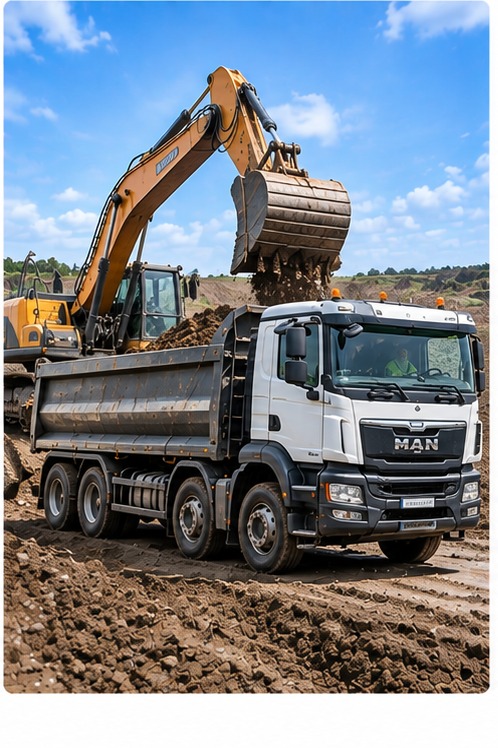
An earthworks project can have excavated soil or spoil leaving the site at the same time as stone, sand or other aggregates arrive. Several tippers may repeat the same journey, and hired-in drivers may cover some of the work. The site team wants a clear account of what moved; the haulier needs each trip attached to the right customer and job.
For the driver, that means receiving or starting the correct job, following the material and destination instructions, and recording the individual load with any required notes, photographs or sign-off. For the office, it means seeing the work progress, dealing with changes and retrieving completed movements later. A weighbridge ticket or any statutory waste documentation remains a separate requirement where relevant.
See the practical earthworks and site-clearance tipper-load workflow for how these movements can be kept together.
Five pieces of information that need to stay connected
| Information | Why the site or office may need it |
|---|---|
| Customer, project and job reference | Connects the movement to the right work rather than a pile of unrelated tickets |
| Material, collection point and destination | Shows what was moved and between which locations, subject to the accuracy of the recorded details |
| Vehicle, driver and individual load | Separates repeated trips and subcontractor movements |
| Time, quantity and relevant ticket reference | Helps the office match the movement to other job or weighbridge information where applicable |
| Photos, notes or sign-off where required | Provides supporting context for a particular delivery or collection |
Agree which fields matter before the first truck arrives. Not every job requires every possible question, and asking drivers to complete irrelevant fields can make adoption harder.
What should happen in the driver's cab?
A workable digital construction process starts with the actual job. The driver receives the customer, site, material and instructions from the office, or starts an authorised job where that suits the operation. The app should show only the steps relevant to that movement.
On a repeat muck-away job, the driver may make several trips between the same locations. The job information should carry forward where appropriate, but each load still needs its own identifiable completed record. For an aggregate delivery, a photograph, note or signature may be needed at the destination. In poor reception, the driver should be able to capture supported information and synchronise it when connectivity returns.
This is a more useful test than simply asking whether a supplier has a "digital docket" feature: have a driver complete three normal loads and one awkward change, then inspect what actually reaches the office.
What does the tipper office need to see?
The office has a different task. It needs to set up and adjust jobs, keep own drivers and subcontractors working from the right instructions, see progress as loads are recorded and retrieve finished movements later. If a destination changes or a customer asks about a load, staff need to locate the relevant job and supporting information without reconstructing the day from calls and paper.
The completed record also needs to remain useful after the shift: for checking load counts, answering delivery queries, matching relevant weighbridge information and preparing the evidence accounts needs. The information should reflect what was actually recorded, not imply that a delivery or tonnage has been independently verified.
What can the construction customer realistically receive?
A contractor may want the completed information grouped by project, date, material or job reference. But the exact handover should be agreed with the customer: whether they need a PDF, a spreadsheet, supporting ticket images or some other format. Do not assume a tipper app automatically feeds a contractor's BIM model, procurement platform or document-management system. Any integration has to be demonstrated and confirmed.
Digital construction works best when people agree the required evidence and its owner in advance. That is as much a process question as a software question.
A digital docket, a weighbridge ticket and a waste record are not interchangeable
A digital delivery docket records details of a commercial movement. An electronic proof of delivery may capture completion or acknowledgement. A weighbridge ticket provides weighing information. Waste movements can also have separate legal documentation and obligations under the applicable rules.
Keeping these references together can make retrieval easier, but one record does not automatically replace the others. A software entry cannot itself classify waste, approve a receiving facility, establish a verified weight or prove legal compliance. For a plain-English comparison, read digital docket vs ePOD vs weighbridge ticket. For UK waste requirements, see our UK Digital Waste Tracking overview.
How to improve the site-to-haulier handover without a major IT project
- Choose one common job. For example, repeated aggregate deliveries or a muck-away collection with several tippers.
- Agree what the customer will ask for. Decide on job references, material details, ticket references and any sign-off needed.
- Test with a real driver and office user. Check the number of steps in the cab and whether the completed record is clear.
- Include an exception. Try a subcontracted vehicle, another repeat load, poor reception or a changed instruction.
- Retrieve the work the next day. Ask someone who did not run the job to find and share the relevant completed evidence.
That final test is often revealing. A record that looks fine while the driver completes it is only useful if the right person can find it afterwards.
Where Tipper360 fits into digital construction
Tipper360 is construction-specific job and load software for tipper, muck-away, quarry, aggregate, asphalt and ready-mix operations. The office can issue jobs or authorised drivers can start them. Drivers see job-specific instructions, record individual or repeated loads and capture required photos, signatures and notes. Own drivers and subcontractors can work within the same job process; live chat helps the office communicate changes. Vehicle checks and offline capture are supported.
The office can see work as it progresses and retrieve completed load records, including bulk POD downloads. That helps turn information recorded during material movements into something the operation can use for customer questions and administration.
See the UK muck-away software workflow, aggregate delivery software and what the driver and office actually do. If you're comparing specialist and general software, our real-job comparison shows useful scenarios to test.
For wider context, the UK government's Construction Playbook discusses digital approaches and information management in public works. The practical checks above are Tipper360's operational advice, not a statement that any particular software is required by that guidance.