
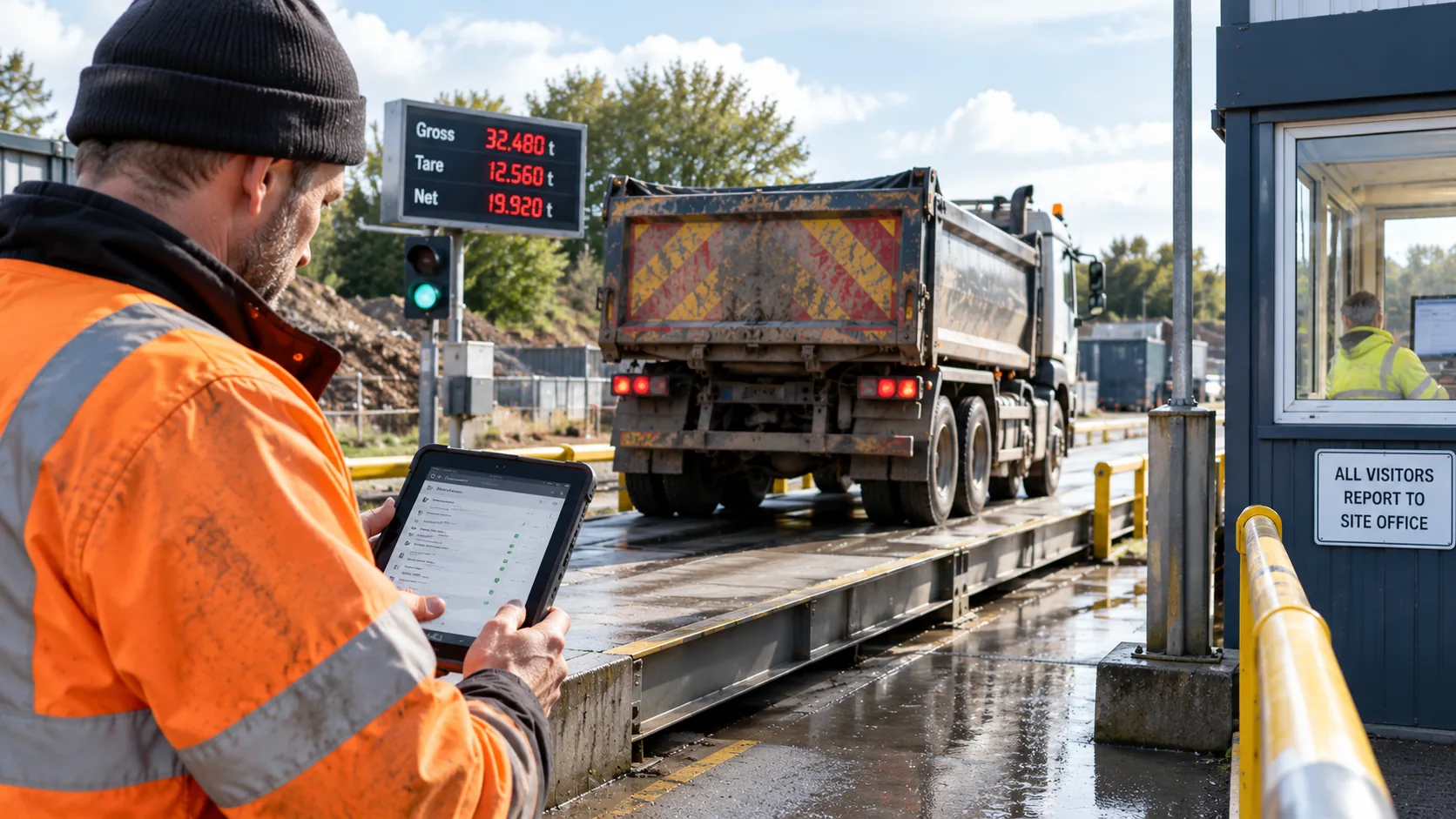
The Weighbridge Reconciliation Nightmare — And How to Fix It
In short: Weighbridge reconciliation gets difficult when the weight ticket, job, vehicle, material, delivery record and supporting evidence reach the office separately. The fix is not to promise “perfect reconciliation”. It is to give every load a consistent job reference and keep the information needed to check that load together from driver to office.
What is weighbridge reconciliation?
For a tipper, aggregate or construction-material operator, reconciliation is the process of checking that the weight recorded at the weighbridge belongs to the correct movement and agrees with the operational and commercial record.
The office may need to match the truck and driver, customer and job, material, collection and destination, weight or quantity, weighbridge ticket, delivery record and any supporting photograph, note or sign-off.
When those pieces arrive through different channels, reconciliation becomes an investigation rather than a check.
Why does weighbridge reconciliation take so long?
The problem is usually not the weighing itself. It is the separation of information afterwards.
- A paper docket is still in the cab.
- The weighbridge ticket uses a different reference from the office job.
- A photograph has been sent by message with no obvious load reference.
- The registration is used in one system and a fleet number in another.
- The material, destination or quantity changed during the day.
- A subcontractor followed a slightly different process.
- The office has to enter information again before it can be checked or invoiced.
Each exception may only take a few minutes. Across repeated loads, multiple trucks and subcontractors, those small checks can create a substantial office workload.
Start with one job reference
A cleaner process starts before the truck reaches the weighbridge. Where possible, the movement should already belong to a defined customer and job. The vehicle, driver, material and destination can then stay associated with that job rather than being reconstructed afterwards.
The weighbridge ticket or ticket reference can be attached or associated with the same movement where the workflow supports it. If the operation connects Tipper360 to another system through an agreed integration, relevant information can also move between systems without relying entirely on manual re-entry.
Record what actually happened, not what was originally planned
Real construction work changes. A truck can be diverted. A destination can change. A quantity may differ from the original instruction. A load can be rejected or require another action.
A useful digital record should preserve those real-world changes. Tipper360 supports live communication between the driver and office, and completed movement information is available back in the office rather than depending on a paper docket returning at the end of the day.
That does not mean every discrepancy disappears. It means the person investigating it has a clearer record to start from.
What should the office be able to find?
For a completed load, the office should be able to identify the relevant job and retrieve the information captured for that movement without searching across paper, messages and unrelated files.
Depending on the job and configured workflow, that can include customer and job details, driver and vehicle, material, origin and destination, recorded times, photographs, signatures and supporting delivery information.
Do not design the process only for perfect loads
The best test of a reconciliation process is an exception. During a demonstration, use examples such as:
- a destination changed after the driver started;
- a different quantity or weight was recorded;
- a weighbridge ticket is missing;
- a load is rejected or redirected;
- a subcontractor carries the load;
- the driver temporarily has poor mobile coverage.
Tipper360 works offline and can synchronise when connectivity returns. The important question is whether the office can still understand the movement when something does not go exactly to plan.
How to measure your own reconciliation problem
If you want to put a number on the office workload, follow our one-week weighbridge admin audit. It shows how to count exceptions, record investigation time and compare results after a process change.
There is no credible universal figure for how many administration hours every tipper business loses to weighbridge reconciliation. Measure your own operation instead.
For one normal working week, record:
- how many tickets or load records the office processes;
- how many require investigation;
- the common reasons they cannot be matched immediately;
- how much time is spent searching for supporting information;
- how often information has to be entered again;
- how long it takes before a completed load is ready for the next office process.
That gives you a real baseline against which to judge whether a new workflow is improving the operation.
Where Tipper360 fits
Tipper360 is designed around construction movements rather than generic fleet monitoring. A job can be sent by the office or self-started by an authorised driver. Drivers and office staff can communicate through live chat, subcontractor movements can be included in the operational process, and the completed digital record is available for the office to search and retrieve.
The objective is straightforward: keep the information created during the job connected closely enough that the office has less reconstruction to do afterwards.
Tipper360 does not guarantee that every weighbridge record will reconcile automatically, and it does not replace the weighbridge or accounts system. Where integrations are required, the exact approach depends on the systems and workflow already used by the operator.
A better reconciliation test
Take five real loads from your operation — including at least one awkward one — and ask whether somebody in the office can identify the job, movement, weight information and supporting evidence without ringing the driver or searching several places.
If not, that is the process to fix.
Article reviewed 23 September 2026.
Related guide: See Tipper360 for aggregate and quarry loads
Driver record, weighbridge ticket and office record: how they fit together
- Before the trip: assign the load to the correct customer and job, with a usable reference for the driver and office.
- At the weighbridge: capture or associate the ticket number and actual measured weight with that movement where the workflow permits; do not assume automatic data transfer from the weighbridge.
- After the trip: check the recorded destination, vehicle, material and quantity against the ticket and any delivery evidence.
- For exceptions: flag missing tickets, changed destinations or mismatched quantities for an office review rather than silently overwriting them.
For the distinction between the different documents, see digital docket vs proof of delivery vs weighbridge ticket. For a practical system example, see digital dockets for tipper trucks.