
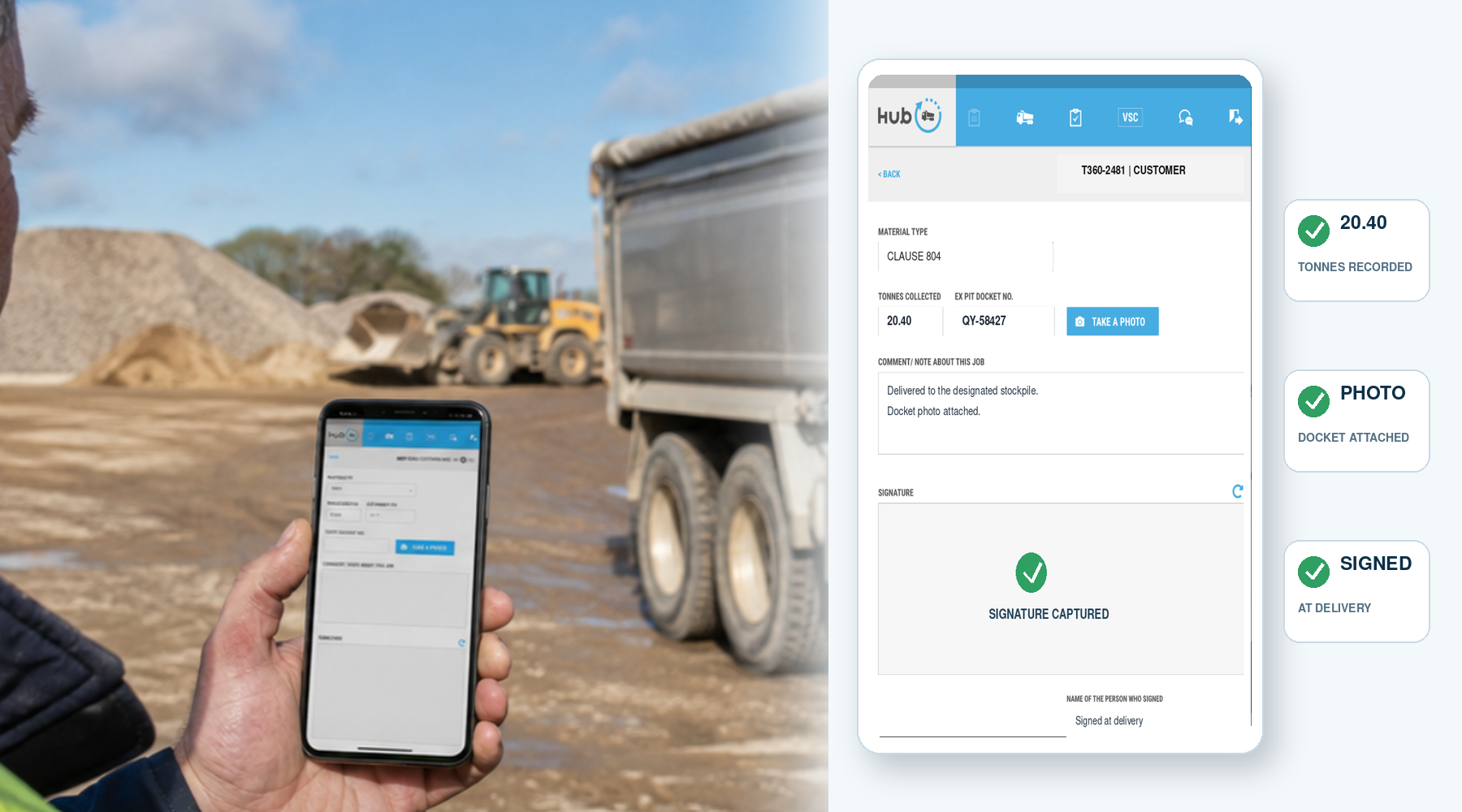
Tipper Driver App Workflow: From Job to Completed Office Record
In short: The useful way to judge a tipper driver app is to follow one real job from start to finish. The driver needs a clear job, a short set of relevant steps and a definite finish. The office needs the completed information back in a form it can actually use.
This article is about the sequence
For the individual information a driver may record, see What Does a Tipper Driver Record in a Delivery App?. This guide focuses on the flow from the start of the job to the completed office record.
Step 1: start the correct job
The office can send a job or an authorised driver can self-start one. The driver begins with the relevant customer and work rather than trying to recreate the office's instructions in the cab.
Step 2: follow only the steps needed for that job
The workflow can vary with the work. A tipper, aggregate, C&D, asphalt or ready-mix movement does not have to be forced through a generic parcel-delivery process.
The driver selects or confirms the information required for that job and adds supporting evidence such as photographs or sign-off where the workflow calls for it.
Step 3: handle questions or changes during the day
Jobs do not always run exactly as planned. Tipper360 includes live chat between driver and office so operational questions and changes can be handled while the job is active.
Step 4: keep working if coverage drops
The app can continue working offline. Information synchronises when connectivity returns, so a poor-signal site does not need to become a separate paper process.
Step 5: complete the job
The driver finishes the selected workflow rather than leaving the office to decide later whether the record is complete. The aim is a clear end point for the movement.
Step 6: the office receives the completed record
After synchronisation, the office can work from the completed digital information without waiting for the physical docket to return. Relevant job details and supporting evidence captured in the workflow remain associated with that movement.
Step 7: use the record again
The value does not end when the load is completed. The office can search completed records later and use bulk POD downloads where multiple delivery records are needed for a customer, project or accounts process.
How to test the workflow properly
Use a normal job rather than a perfect demo. Include a real driver, a normal site and, if possible, something awkward such as poor signal or a change during the day. Then check two things: was the cab process straightforward, and did the office receive a record it could use without reconstructing the job afterwards?
Full product guide: See how Tipper360 works from driver to office